
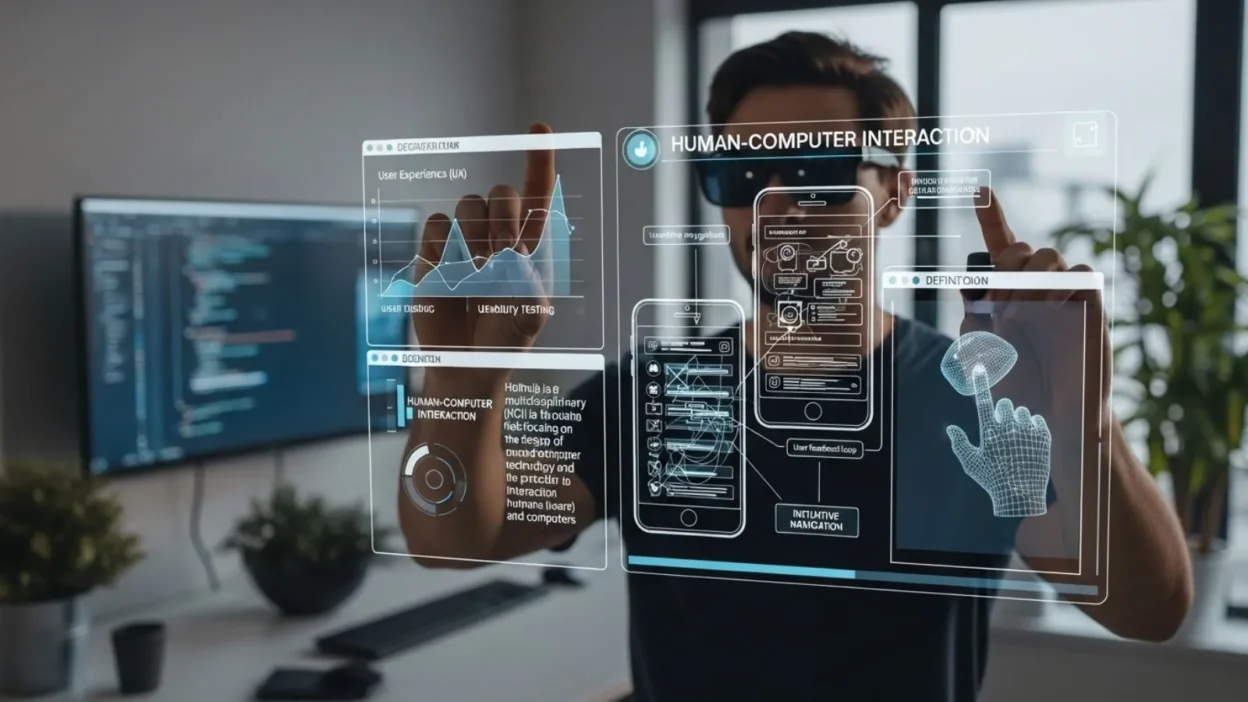
HCI, or Human-Computer Interaction, is a field that focuses on how humans interact with computers and other digital devices. Simply put, it’s all about designing technology that is easy, efficient, and enjoyable to use.
From smartphones and laptops to AI assistants and smart home devices, HCI principles shape the way we experience technology every day.
Understanding HCI meaning is essential not only for tech professionals and designers but also for students and anyone curious about how digital interfaces work. This field combines elements of computer science, psychology, design, and ergonomics to create systems that meet human needs effectively.
By studying HCI, we learn how to improve usability, reduce errors, and make technology more accessible for everyone. In today’s digital world, where technology is part of almost every aspect of life, knowing what HCI is can help individuals and businesses create smarter, user-friendly solutions that enhance productivity and user satisfaction.
What Does HCI Stand For?
HCI stands for Human-Computer Interaction, a term that explains the study and practice of how humans interact with computers, software, and digital systems. Each part of the term highlights a key aspect of this field. “Human” emphasizes the user – their needs, behavior, and abilities. “Computer” refers to any device or digital system, from traditional desktops and laptops to smartphones, smartwatches, and even AI-powered assistants. “Interaction” focuses on the ways users communicate with technology, such as clicking, typing, tapping, speaking, or gesturing.
Understanding the HCI meaning goes beyond just knowing the words; it involves recognizing the goal of this field: making technology more intuitive, effective, and enjoyable for people. HCI is at the heart of user experience (UX) design, influencing everything from website navigation to mobile app interfaces. A system designed with HCI principles considers how humans think, perceive, and respond to digital interfaces, ensuring usability, accessibility, and satisfaction.
For example, when you swipe on a smartphone screen, use voice commands with a smart speaker, or navigate a website, you are experiencing HCI in action. Professionals in this field study human behavior, design interfaces, and test them to ensure that the interaction is smooth and efficient. In essence, HCI bridges the gap between humans and technology, making devices more approachable, responsive, and aligned with user expectations.
History of HCI
The history of Human-Computer Interaction (HCI) dates back to the early days of computing, when computers were large, complex machines that only trained specialists could operate. In the 1960s, HCI began as part of human factors research, focusing on making these machines more usable and reducing errors in complex operations. During this period, interaction with computers was primarily through command-line interfaces, requiring users to memorize commands and type them precisely.
The 1980s marked a major turning point with the advent of graphical user interfaces (GUI), popularized by systems like the Apple Macintosh and Microsoft Windows. These interfaces introduced icons, windows, and menus, making computers accessible to a much wider audience. During this time, HCI shifted its focus toward user-centered design, emphasizing ease of use, efficiency, and user satisfaction.
In the 1990s and 2000s, the rise of the internet and web applications expanded HCI into new territories. Designers and researchers began studying how people navigate websites, interact with software, and use emerging mobile devices. Touchscreens, smartphones, and voice-controlled devices further transformed HCI, requiring new approaches to design and interaction.
Today, HCI continues to evolve with artificial intelligence (AI), virtual reality (VR), and augmented reality (AR). Modern HCI focuses not only on usability but also on creating adaptive, personalized, and inclusive technology. Understanding the history of HCI helps us appreciate how human-computer interactions have developed from technical, expert-focused systems into intuitive, user-friendly experiences that are part of everyday life.
Key Components of HCI
Understanding the key components of HCI is essential to grasp how humans interact effectively with technology. At its core, HCI focuses on creating systems that are usable, efficient, and satisfying for users. One of the most important components is usability, which refers to how easily a user can learn, operate, and achieve their goals with a system. High usability reduces errors, saves time, and increases overall satisfaction.
Another critical component is User Experience (UX) and Interface Design (UI). UX emphasizes the overall experience a user has with a system, including emotions, preferences, and satisfaction. UI, on the other hand, focuses on the visual and interactive elements, such as buttons, menus, and navigation. A well-designed UI ensures that users can interact with technology intuitively, without confusion or frustration.
Interaction models form another HCI component. These describe how humans communicate with computers, including command-line interfaces, graphical interfaces, touchscreens, and voice or gesture-based systems. Each model requires careful design to match human behavior and cognitive patterns.
Lastly, cognitive aspects play a vital role. HCI considers how humans perceive information, process it, and respond. This includes attention, memory, learning, and problem-solving abilities. By aligning technology with human cognitive strengths and limitations, HCI ensures that digital systems are not only functional but also natural and user-friendly.
HCI Applications in Real Life
Human-Computer Interaction (HCI) is not just a theoretical concept—it is present in everyday technology and professional systems. One of the most common applications of HCI is in smartphones and tablets, where touchscreens, gestures, and intuitive interfaces make it easy for users to access apps, browse the internet, and communicate. Features like predictive text, voice assistants, and customizable layouts are all designed using HCI principles to enhance usability and convenience.
HCI also plays a major role in websites and software applications. Designers use it to structure navigation, organize content, and ensure that users can accomplish tasks efficiently. For example, e-commerce platforms like online stores rely on HCI to create seamless shopping experiences, from browsing products to completing payments.
In professional settings, HCI is critical in healthcare systems, ATMs, airline booking platforms, and smart home devices. Interfaces are carefully designed to minimize errors, provide clear feedback, and meet diverse user needs. In healthcare, for example, HCI ensures that doctors and nurses can interact with complex medical software quickly and safely.
Emerging technologies such as artificial intelligence (AI), virtual reality (VR), and augmented reality (AR) are also powered by HCI research. These systems rely on natural interactions—voice, motion, or gestures—to make digital experiences immersive and user-friendly.
In essence, HCI applications touch almost every aspect of modern life. From daily communication and entertainment to critical professional tools, understanding HCI ensures that technology works effectively for humans, not the other way around.
Importance of HCI
The importance of Human-Computer Interaction (HCI) cannot be overstated in today’s technology-driven world. At its core, HCI ensures that digital systems are usable, accessible, and effective for human users. One major benefit is improved productivity. When software or devices are designed with HCI principles, users can complete tasks faster and with fewer errors, saving time and reducing frustration.
HCI also plays a critical role in enhancing user satisfaction. A well-designed interface that anticipates user needs and provides clear feedback makes interacting with technology enjoyable and intuitive. For example, apps with simple navigation and responsive designs keep users engaged, while confusing layouts or slow systems drive people away.
In professional settings, HCI contributes to reducing training costs and errors. Employees can learn new software quickly when it follows familiar patterns and logical workflows. In healthcare, aviation, and finance, HCI minimizes mistakes that could have serious consequences.
Finally, HCI is essential for innovation. By understanding how humans think, perceive, and interact with technology, designers and developers can create smarter, more intuitive systems, including AI assistants, VR/AR experiences, and interactive educational tools.
In summary, HCI is vital for making technology human-centered, ensuring efficiency, satisfaction, accessibility, and continuous innovation across all industries.
HCI Principles and Best Practices
Effective Human-Computer Interaction (HCI) relies on a set of principles and best practices designed to make technology user-friendly, intuitive, and efficient. One of the most important is user-centered design (UCD). This approach places the user at the heart of the design process, ensuring that interfaces meet real human needs rather than focusing solely on technical capabilities. UCD involves researching user behavior, testing prototypes, and iteratively refining the design.
Another core principle is consistency and adherence to standards. Consistent layouts, terminology, and interaction patterns help users predict how a system works, reducing errors and learning time. For instance, standard icons like a trash bin for deleting files are universally recognized due to consistent design practices.
Feedback and visibility are equally critical. Users should always know the system’s status and receive immediate responses to their actions. For example, loading indicators, confirmation messages, and error alerts guide users and prevent confusion.
HCI also emphasizes affordance and discoverability. Interactive elements should clearly indicate their functionality, such as buttons that look clickable or sliders that appear adjustable. This makes interfaces intuitive without requiring extensive instructions.
Finally, iterative testing and evaluation are essential best practices. HCI experts continuously test systems with real users, gather feedback, and improve the design. This ensures that interfaces remain effective, accessible, and relevant as technology evolves.
By following these HCI principles and best practices, designers and developers can create systems that are not only functional but also engaging, accessible, and tailored to human behavior, resulting in a positive user experience across applications and devices.
HCI Challenges
While Human-Computer Interaction (HCI) has significantly improved how we interact with technology, the field still faces several challenges. One of the main difficulties is rapid technological change. New devices, platforms, and interaction methods—such as AI assistants, VR/AR systems, and wearable technology—require HCI designers to continuously adapt and rethink interface designs to meet evolving user expectations.
Another challenge is balancing simplicity with functionality. Designers must create interfaces that are easy to use while still offering advanced features. Overly complex systems can overwhelm users, whereas overly simplified interfaces may limit functionality and frustrate experienced users. Achieving the right balance requires careful research, prototyping, and user testing.
Diverse user needs also pose a challenge. HCI must account for differences in age, cultural background, language, technical expertise, and accessibility requirements. Designing a system that works for all users, including those with disabilities, requires careful consideration of visual, auditory, and cognitive accessibility features.
Ethical considerations have become increasingly important. HCI designers must address privacy, data security, and responsible AI use to ensure users feel safe and respected. Poorly designed interfaces or misleading interactions can lead to mistrust or harm.
Finally, cognitive overload is a challenge in modern interfaces. With information-rich applications, users can feel overwhelmed by excessive data or notifications. HCI principles aim to present information clearly, prioritize essential tasks, and guide user attention effectively.
Despite these challenges, the field of HCI continues to evolve, focusing on creating accessible, intuitive, and ethical technology that meets the diverse needs of users in an ever-changing digital landscape.
Future of HCI
The future of Human-Computer Interaction (HCI) is increasingly exciting, driven by rapid advances in technology and evolving user expectations. One major trend is the integration of artificial intelligence (AI) into interfaces. AI allows systems to anticipate user needs, provide personalized recommendations, and enable natural interactions through voice, gesture, or even emotion recognition. This creates more adaptive and intelligent user experiences that go beyond traditional input methods.
Virtual reality (VR) and augmented reality (AR) are also shaping the future of HCI. VR immerses users in fully digital environments, while AR overlays digital elements onto the real world. Designing effective interactions in these environments requires innovative HCI approaches to ensure usability, comfort, and engagement, while minimizing cognitive load and motion-related issues.
Another emerging area is brain-computer interfaces (BCI), which allow users to control devices directly through neural signals. While still in early development, BCI has the potential to revolutionize accessibility and human-computer communication, especially for individuals with mobility or communication challenges.
The future of HCI also emphasizes inclusive, ethical, and privacy-focused design. As technology collects more user data, designers must ensure that interfaces protect privacy and are accessible to all demographics, regardless of age, culture, or ability.
Overall, the future of HCI is moving toward more natural, intuitive, and personalized interactions. By combining AI, VR/AR, BCI, and human-centered design principles, HCI will continue to transform the way we engage with technology, making it increasingly seamless, immersive, and responsive to human needs.
HCI Examples in Popular Technology
Human-Computer Interaction (HCI) is all around us, influencing the design of everyday devices and software. One of the most visible examples is smartphones. Platforms like iOS and Android rely on touchscreens, gesture controls, and voice assistants to create seamless interactions. Features such as swipe navigation, predictive text, and haptic feedback are all products of HCI principles, making devices intuitive and enjoyable to use.
Social media platforms like Facebook, Instagram, and TikTok also incorporate HCI extensively. Designers study user behavior to optimize layouts, menus, and notifications, ensuring users can interact efficiently while staying engaged. Personalization features, such as content recommendations, are guided by HCI research to enhance satisfaction and usability.
Smart home devices like Amazon Echo, Google Nest, and smart lighting systems provide another clear example. These devices use voice commands, touch interfaces, and app controls to interact naturally with users, allowing people to manage homes effortlessly. HCI ensures these interactions are intuitive, responsive, and accessible to users of all ages and technical skill levels.
Even gaming and VR/AR platforms rely heavily on HCI. Game controllers, motion sensors, and immersive VR headsets are designed to match human motor skills, attention, and cognitive abilities. Proper HCI design reduces frustration, enhances performance, and increases enjoyment.
In essence, HCI is not limited to one type of technology—it spans mobile devices, software, smart home systems, and immersive experiences. By applying HCI principles, developers and designers create products that are functional, user-friendly, and aligned with human behavior, improving daily interactions and overall satisfaction.
Frequently Asked Questions (FAQ) about HCI
1. What is HCI in simple terms?
HCI, or Human-Computer Interaction, is the study and practice of how humans interact with computers and digital systems. It focuses on designing technology that is intuitive, efficient, and enjoyable for users.
2. Why is HCI important for UX designers?
HCI principles guide user experience (UX) design by helping designers create interfaces that are easy to use, accessible, and satisfying. Understanding HCI allows designers to anticipate user needs and reduce errors in digital systems.
3. What are some examples of HCI?
Examples include smartphones, tablets, social media platforms, ATMs, smart home devices, and VR/AR systems. Any technology that requires human interaction, from swiping on a touchscreen to giving voice commands, applies HCI principles.
4. What skills are needed to work in HCI?
Key skills include UX/UI design, usability testing, cognitive psychology, human factors research, prototyping, and data analysis. Strong communication skills are also important to understand user needs and collaborate with developers.
5. How does HCI improve software usability?
By studying human behavior, cognition, and perception, HCI ensures that software interfaces are intuitive, reduce errors, and provide clear feedback. This leads to faster learning, higher productivity, and better user satisfaction.
6. What is the difference between HCI and UX/UI design?
HCI is the broader field that studies interactions between humans and computers, while UX/UI design is a practical application of HCI principles, focused specifically on creating interfaces and experiences that users find effective and enjoyable.
Conclusion
In today’s digital world, understanding HCI, or Human-Computer Interaction, is essential for both technology users and creators.
HCI bridges the gap between humans and computers, ensuring that digital systems are efficient, intuitive, and user-friendly.
From smartphones and social media platforms to smart home devices and VR/AR systems, HCI principles influence almost every interaction we have with technology.
By focusing on usability, user experience, cognitive factors, and accessibility, HCI improves productivity, reduces errors, and enhances satisfaction.
It also drives innovation, guiding the design of AI interfaces, adaptive systems, and immersive experiences.
While challenges such as rapid technological change, diverse user needs, and ethical considerations remain, HCI continues to evolve, shaping the future of human-centered technology.